
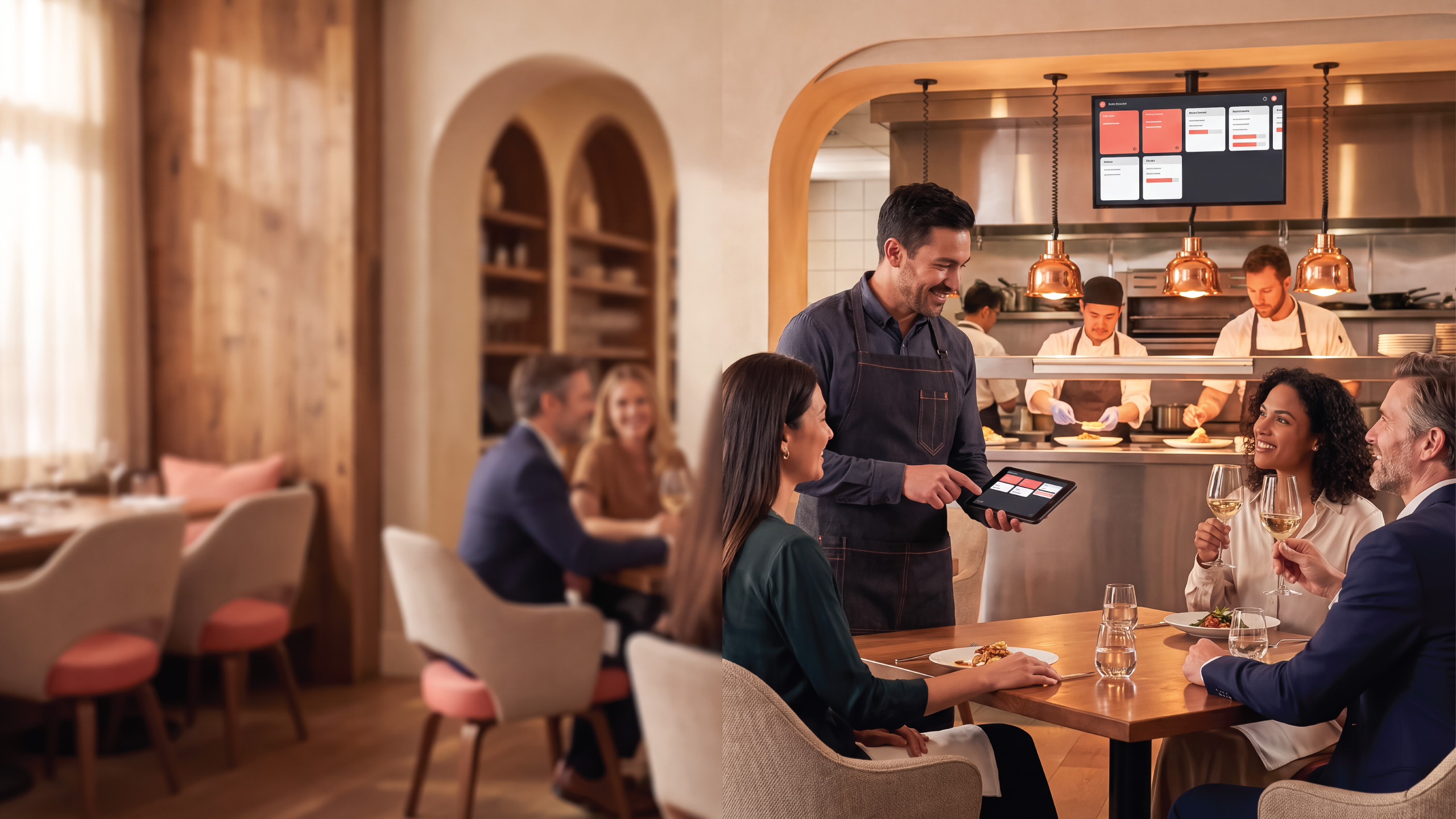
Restaurant operations, powered by Spell ERP
Spell Restaurant Pro. Run every table, kitchen, and location from one connected platform.
A multi location restaurant operating system built into Spell ERP. Manage dine in, takeout, delivery, reservations, menus, kitchen production, ingredient usage, loyalty, and financial control without stitching together disconnected systems.
- Multi location
- Dine in, delivery, and catering
- Spell Rewards loyalty
- ZATCA capable when configured
The problem
Stop stitching restaurant operations together.
Restaurants routinely run point of sale, kitchen displays, reservations, inventory, loyalty, online orders, and accounting as separate systems. That means the same information typed several times, numbers that disagree, and decisions that wait for an end of day export.
Spell Restaurant Pro connects the moments that disconnected systems leave behind: the order, the kitchen ticket, the ingredient movement, the reward, the receipt, and the financial record.
Six capability pillars
One operating model, from the floor to the ledger.
Each location keeps its own configuration while management stays connected through Spell ERP.
Multi location operations
Each location carries its own register, warehouse, menu, floor, kitchen stations, and enabled service channels: dine in, to go, delivery, curbside, drive through, and catering.
Visual floor and reservations
Design dining areas and floor plans with real table shapes, capacities, and rotation. Open an order from a table, and manage reservations from phone, walk in, or connected web sources.
Menu and kitchen orchestration
Menus and sections per location, modifier groups, governed combos, scheduled availability, and items routed to the correct kitchen station with courses, seats, and notes intact.
Recipes, inventory, and waste
Recipes connect a menu sale to ingredient consumption from the location's assigned warehouse, including modifier ingredients, with waste and spoilage recorded through governed workflows.
Spell Rewards loyalty
Customer identity, points, tiers, offers, receipts, and purchase history connected to the restaurant transaction, so teams recognize loyal guests instead of processing anonymous ones.
Connected finance
A finalized order can produce the receipt, linked invoice, payment, tax, tips payable, inventory movement, cost of goods sold, and loyalty records inside the ERP lifecycle.
One transaction. Every team stays in sync.
From the first order to the final journal entry.
The same business event moves through service, production, payment, stock, and accounting without being re-entered.
Capture demand
Dine in, takeout, delivery, curbside, drive through, catering, and connected Vendra orders or reservations enter the same queue.
Serve the guest
Open the order from a table or queue, identify the customer, and capture items, modifiers, seat, course, and preparation notes.
Coordinate the kitchen
Items route to their production stations with context intact, and tickets progress from queued to preparing, ready, and completed.
Complete payment
Apply eligible rewards, capture one or more tenders and tips, and finalize through governed checkout that will not bypass lifecycle controls.
Update the business
The receipt and linked invoice, ingredient depletion, cost of goods sold, tax, loyalty, and configured fiscal output follow automatically.
Improve the next service
Restaurant, inventory, finance, and customer information come together to show location performance, purchasing needs, waste, and repeat business.
Spell Rewards
Turn every transaction into a relationship.
Spell Rewards connects customer identity, points, offers, and purchase history to restaurant operations, so teams can recognize loyal guests and create more relevant reasons to return. Program rules and customer communication follow your consent and privacy configuration.
Earn and redeem
Points from eligible purchases, redeemed against future ones, with configurable tiers and earn multipliers.
Item level control
Product specific loyalty multipliers or exclusions, so a promotion does not quietly apply where it should not.
Offers
Discounts and bonus point campaigns built against real purchase history rather than guesswork.
A branded member experience
Balance, purchases, receipts, offers, and rewards presented under your own mobile app settings.
Vendra commerce bridge
Extend the restaurant beyond the dining room.
Vendra is the customer facing commerce layer for online ordering and booking. Spell ERP stays the operational and financial system of record. Vendra integration is available and requires storefront and commerce setup.
Publish the menu
Active locations, menus, sections, products, prices, modifiers, and availability export to the commerce experience.
Bring orders back
To go, delivery, curbside, and catering orders arrive idempotently in the same operational queue as the dining room.
Reservations included
Online bookings enter the same reservation workflow, with the external identifier preserved for reconciliation.
Tenant scoped credentials
Integration credentials are scoped to one ERP tenant, and can be revoked or rotated if exposed.
Finance, fiscal, and bilingual readiness
Finance does not wait for an end of day export.
Spell ERP applies tenant and location configuration, so a restaurant group can operate across markets without running a different platform in each one.
Governed posting
Revenue, payments, sales tax or VAT, tips payable, ingredient inventory, cost of goods sold, and waste post according to configured policy.
Cost centers and control
Cost center assignment through the configured restaurant register, location reporting inside the broader ERP, audit logs, permission controlled setup, and multi tenant isolation.
English and Arabic
Bilingual ERP restaurant surfaces, with Arabic and right to left support in the native operator experience.
ZATCA capable
Saudi tenants can use bilingual standard and simplified document workflows once entitlement, legal identity, VAT data, EGS onboarding, credentials, and authorization are complete.
FAQ
Common questions.
Is Spell Restaurant Pro only a POS?
No. Point of sale is one part of the workflow. Spell Restaurant Pro connects service, menus, kitchen production, reservations, recipes, inventory, loyalty, and restaurant finance through Spell ERP.
Does it support multiple restaurant locations?
Yes. Locations can maintain their own registers, warehouse relationships, service channels, menus, floor plans, kitchen stations, and operating settings while remaining connected through the ERP platform.
Which service models are supported?
Dine in, to go, delivery, curbside, drive through, and catering. Locations enable only the channels they use.
Does it update inventory?
Yes. Recipes can connect menu sales to ingredient consumption from the location's assigned warehouse. Waste and spoilage can also be recorded through governed inventory and accounting workflows.
Can it accept online orders?
Spell Restaurant Pro includes governed Vendra integration for menu publication and the ingestion of supported online orders and reservations. A customer facing storefront and payment setup must be configured for the restaurant's rollout.
Does it support Saudi Arabia and ZATCA?
Spell ERP includes a Saudi configuration and ZATCA document workflow. Production statutory issuance requires the restaurant's entitlement, legal identity, VAT information, EGS onboarding, credentials, and required approvals to be complete.
Is there a native app?
Spell Restaurant is the staff facing native application for supported iOS and Android phones and tablets, covering the live floor, order queue, menu, modifiers, kitchen tickets, reservations, payment capture, and tips. Public store availability should be confirmed during your rollout.
Can it connect restaurant sales to accounting?
Yes. Governed order finalization can produce the related receipt, invoice, payment, tax, inventory, cost of goods sold, tip, loyalty, and configured fiscal records in Spell ERP.
See how Restaurant Pro fits your operating model.
Serve the guest in the moment. Run the business with the full picture. Bring your menu, your locations, and your service model, and we will show the path from the first order to the journal entry.